FRAME CINEMA
An independent cinema template centered on readable screening times, curated seasons, access information, membership, and venue visits
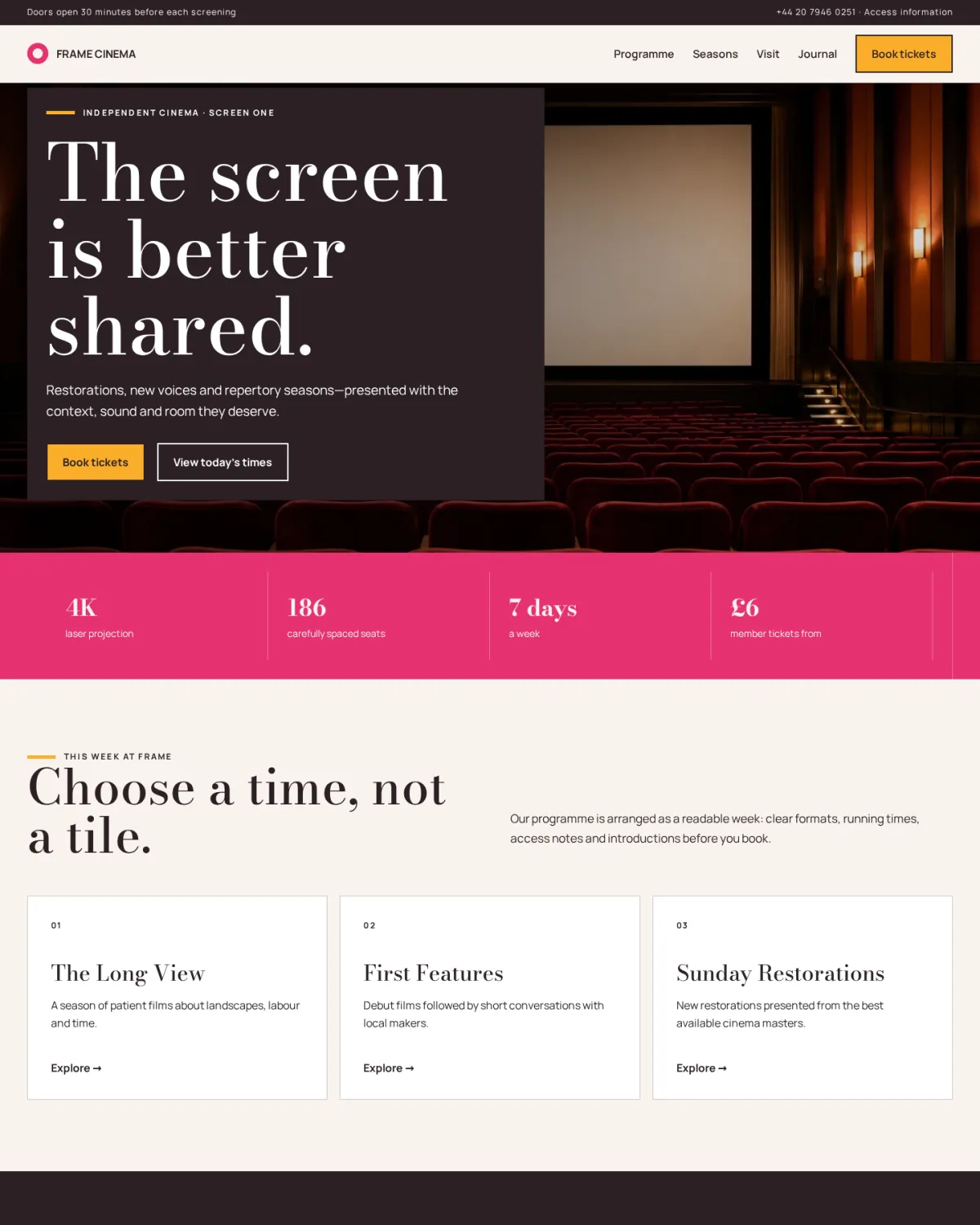
An independent cinema template centered on readable screening times, curated seasons, access information, membership, and venue visits
Frame uses a Happy Hues palette of warm cream, ink, pink, and amber with a restrained circular ring mark. The homepage behaves like a real cinema service: a prominent venue image establishes atmosphere, while the core information is organized around today’s times, curated seasons, formats, access notes, and booking. Full-width dark programme bands contrast with centered content, and time labels create the recurring visual signature.
Choose this template for an independent cinema, repertory screen, cinematheque, film society, community film venue, festival hub, or cultural center with a maintained public programme.
Replace the Frame identity with the venue’s approved name and a simple transparent logo. Prepare a light version for the dark programme and footer areas, and verify the mark remains legible at navigation and favicon sizes. Retain the selected Happy Hues palette or map approved brand colors to the semantic variables, then test every foreground, link, button, border, focus, disabled, error, and hover combination for contrast.
Replace the generated auditorium with licensed photographs of the actual screen, entrance, foyer, seating, access routes, box office, and team. Do not imply facilities, projection formats, seating capacity, accessibility, awards, partnerships, or programming relationships that the venue cannot verify.
Rewrite the hero around the real curatorial purpose, location, screen count, and booking proposition. Every demonstration title, time, date, ticket price, format, running time, season, introduction, Q&A, and availability claim is fictional and must connect to maintained programme data or be replaced. Screening pages should show the approved film title, synopsis, country, year, language, subtitles, director, cast where licensed, runtime, age classification, content guidance, format, access provisions, performance date and time, doors time, auditorium, price, fees, refund rules, and booking status.
Do not copy distributor synopses, stills, posters, reviews, or credits without the necessary rights. Avoid representing digital screenings as film presentations, restorations as venue work, or Q&A guests as confirmed until contracts and travel are settled. Programme imports need validation for time zones, daylight saving, sold-out states, cancellations, schedule changes, duplicate performances, and stale cache. Access pages should describe step-free routes, wheelchair spaces and transfer policies, companion tickets, hearing enhancement, captioning, audio description, relaxed screenings, lighting, sound levels, toilets, seating, service animals, travel, parking, and how to request assistance.
Use concrete information reviewed by visitors with relevant access needs; do not rely on a generic accessibility badge. Membership pages must explain price, term, renewal, ticket limits, exclusions, booking windows, event eligibility, guest benefits, cancellation, data use, and whether benefits have monetary value. Gift vouchers need expiry, redemption, refund, balance, delivery, and lost-code policies. Venue-hire pages should state real capacities, technical specifications, staffing, access, catering, licensing, insurance, setup time, overtime, noise, cancellation, and prohibited uses. Team and trustee profiles require verified roles and current photographs.
Claims about projection quality, rarity, premiere status, sustainability, audience numbers, community impact, awards, critics, partners, funders, or historical importance need evidence, dates, and appropriate credit. Never invent audience quotations, filmmaker endorsements, press coverage, sponsor logos, or sold-out claims.
For SEO, create substantial pages for the current programme, individual films, seasons, events, access, venue information, membership, education, and archive. Use canonical URLs, unique titles and descriptions, clear headings, accurate event status, meaningful internal links, and descriptive image alternatives. Apply MovieTheater, Movie, ScreeningEvent, Event, Organization, Offer, or Article structured data only when visible content supports every property; update or remove expired events promptly.
If multilingual, use qualified translators for programme context, access, ticket conditions, classification and safety information, not navigation alone.
On mobile, put date selection, screening time, format, access status, availability and booking action in a clear sequence. Do not hide essential booking facts behind hover. Maintain semantic landmarks, heading order, keyboard access, visible focus, large touch targets, zoom support, reduced-motion behavior, accessible dialogs, form labels, errors, and seat-map alternatives. Use a secure ticketing provider and explain payment, confirmation, account, privacy, cookies, analytics and marketing consent.
Before launch, replace all fictional programme data, names, prices, contact details, links, photos and claims; test booking success and failure, sold-out and cancelled states, refunds, telephone and email links, screen readers, keyboard navigation, mobile and ultrawide layouts, slow networks, reduced motion, time-zone handling, consent controls, and major browsers. Add reviewed privacy, cookies, terms, ticketing, refund, access, safeguarding, complaints, venue rules, filming, licensing and contact pages with named programme, operations, access, privacy and content owners and scheduled reviews.